A real TV guide
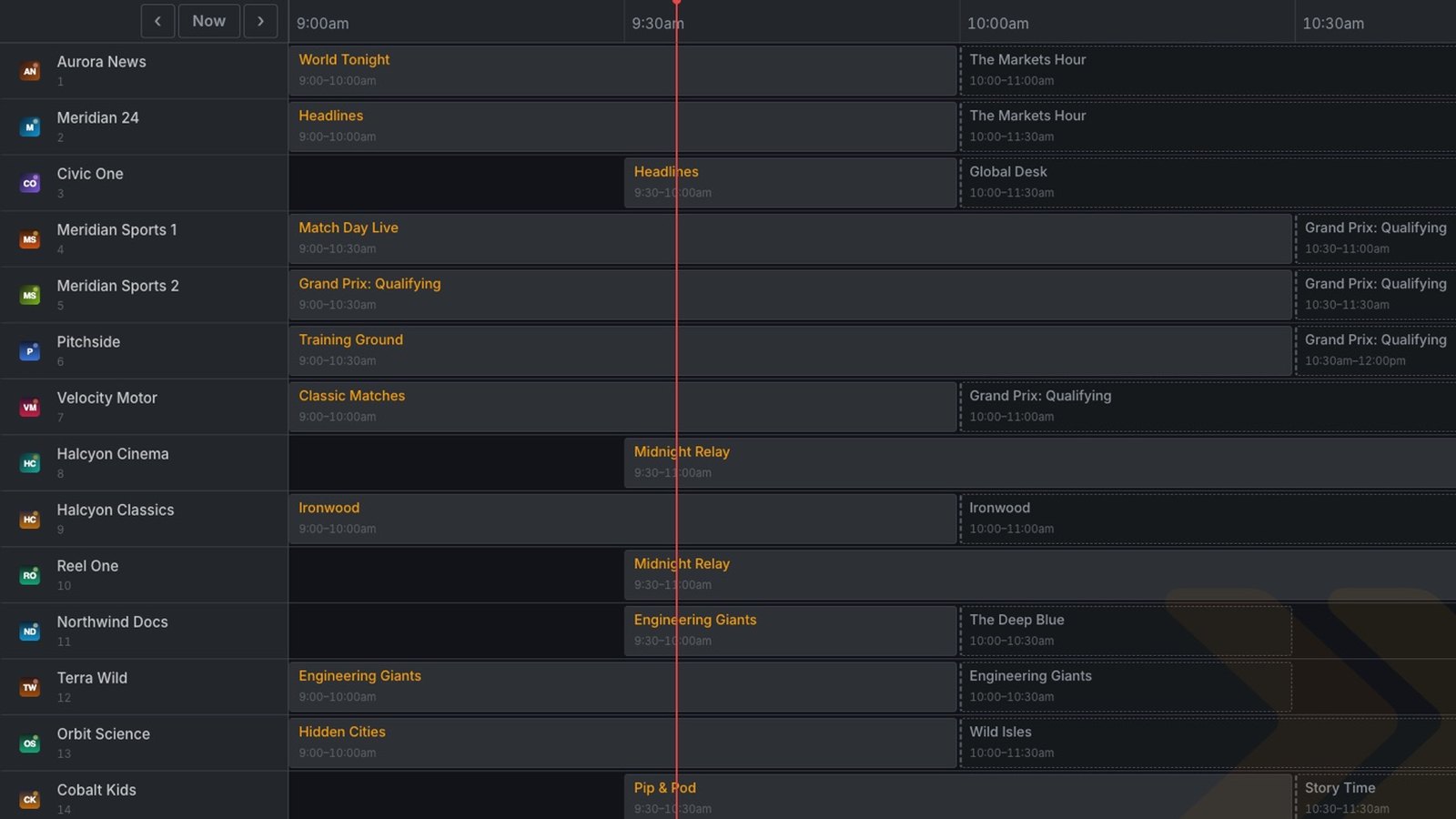
A scrolling time grid with now and next on every channel, and the past a press away.
NuPlyr takes the M3U, Xtream Codes or Stalker source you already have and gives it a proper app for your LG TV or any browser: a real guide, tidy movie and series walls, catch-up, subtitles, all driven from your remote.
No boxes, no servers, no setup. We run everything behind the app, so all you do is install it and sign in to your source.
Get the NuPlyr app on your LG TV, or open the web app. It opens on a welcome screen.
Try everything free for 7 days, or email support@nuplyr.app for a license key and type it in.
Sign in with the login or playlist your provider gave you. The guide and walls fill in within minutes.
Built for a remote first, with D-pad navigation everywhere, the colour keys and the Magic Remote pointer.
A scrolling time grid with now and next on every channel, and the past a press away.
Replay programmes that already aired, on channels where your provider records them.
Dubs and quality copies are grouped behind a single poster, not listed five times.
Resume where you stopped, and the next episode plays itself. Picks up on any TV in the house.
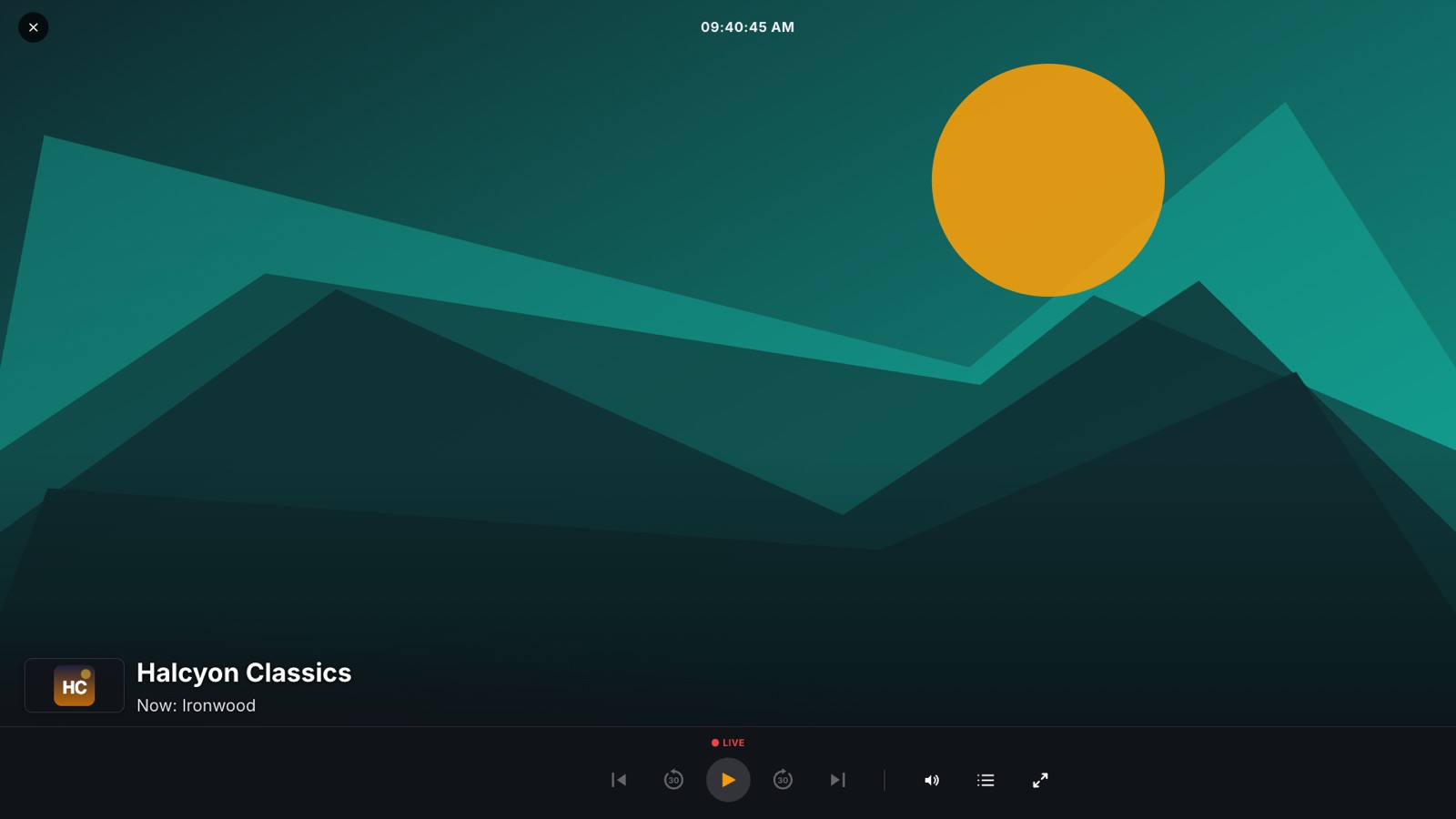
Find subtitles in your language from inside the player, in sync with the film. They come back on when you resume.
Show the languages and picture qualities you watch, and hide the rest. Search still finds everything.
Follow films and shows that are on the way, and get told when they arrive in your languages.
Anything your provider marks as adult stays behind a PIN, along with whatever you choose to lock.
Live opens on a time grid. Move through hours and channels with the D-pad, jump back to now, or switch to a simple list with the guide beside it.
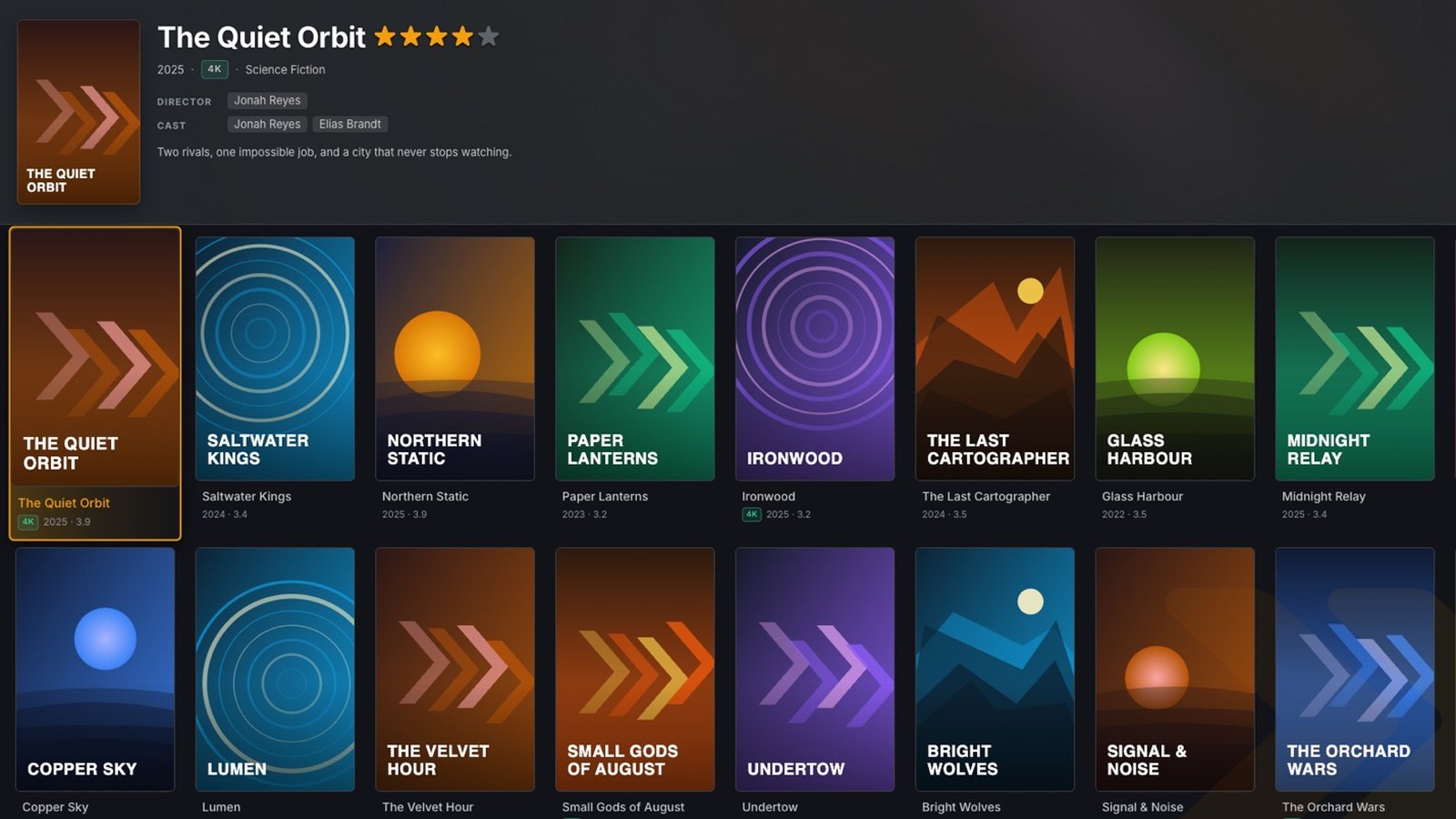
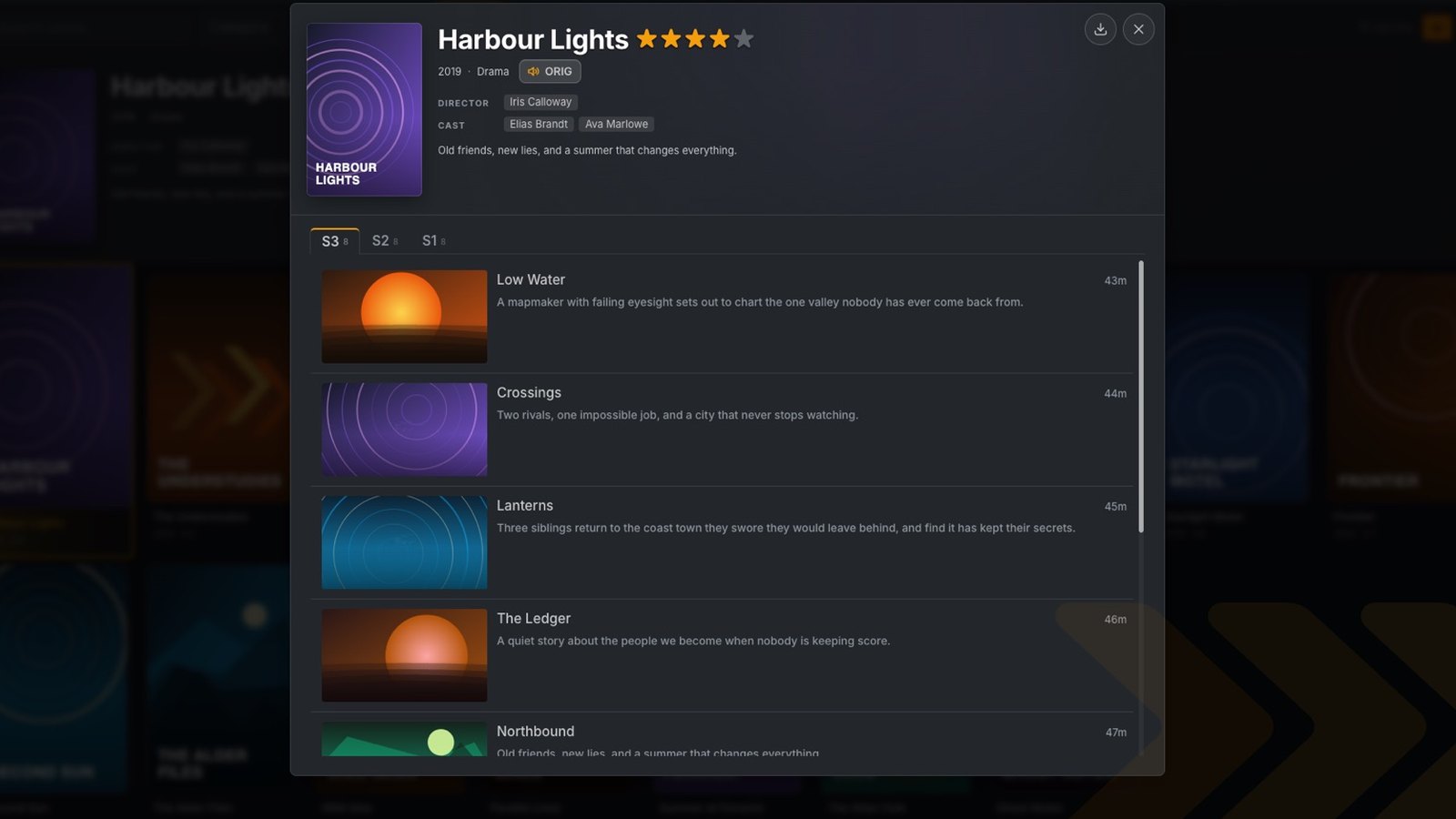
Titles are cleaned up, duplicates are merged, and every poster gets its cast, synopsis and rating. Filter by genre, language, country or quality, and sort by newest or by what you watch.
Content preferences, favorites, resume points and the parental PIN belong to your account, so they follow you from the living room to the bedroom TV.
The free trial switches all of NuPlyr on. When it ends, a Basic or Pro license key keeps it going.
NuPlyr is in beta. Early customers get promotional pricing. Email support@nuplyr.app to ask for prices and early-access details.
Email us to inquire about pricing.
Email us to inquire about pricing.
| What each plan includes | Basic | Pro |
|---|---|---|
| DevicesTVs or phones one license key works on. Your IPTV provider still sets how many can stream at once. | 1 device | Up to 3 |
| The essentialsLive TV, movies & series · Search & filters · Favorites · Your sources · Parental PIN | ||
| TV guide & catch-upWhat's on now and next, and replay shows that already aired | – | |
| Browse your wayGuide, poster and preview layouts, sorted by what you watch | – | |
| Keep watchingResume where you stopped, auto-play the next episode, automatic quality fallback | – | |
| A smarter libraryClean titles, duplicates merged, ratings, trailers and artwork | – | |
| Your languagesSubtitles; hide the languages and qualities you don't watch | – | |
| Upcoming & alertsA wishlist of upcoming films and shows, and an alert when they arrive | – |
* A license key sets how many devices can use NuPlyr. Your IPTV provider still sets how many can stream at once.
License keys are sold by email at support@nuplyr.app. A Pro license key can upgrade a Basic one at any time. See License keys.
No. NuPlyr is a player. It has no channels, films or subscriptions of its own. You bring an M3U playlist, an Xtream Codes login or a Stalker/Ministra portal from your provider, and you're responsible for having the right to watch what it offers.
Yes. NuPlyr is an IPTV player for LG TVs with webOS 5 or later (2020 models onward). Install it, add the M3U playlist, Xtream Codes login or Stalker portal your provider gave you, and watch live TV with a TV guide, plus movies and series, all from the remote.
Three kinds: an Xtream Codes login (server address, username and password), a Stalker or Ministra portal address, and an M3U playlist URL. You don't have to say which one you have: NuPlyr works it out. Guide data and catch-up come from Xtream Codes and Stalker sources.
No. Install the app, start the trial or enter your license key, and add your source. NuPlyr does the syncing, grouping, guide data and artwork for you, so the app stays quick even with a huge playlist.
LG TVs with webOS 5 or later, or the web app in any modern browser. NuPlyr is designed for the remote first: the arrows, OK, Back and the colour keys do everything.
Not yet. NuPlyr is in beta: everything on this page works today, and we're still adding and polishing. Early customers get promotional pricing while the beta runs. Email support@nuplyr.app to ask about it, and tell us what you'd like to see next.
The 7-day trial switches everything on, and no license key is needed. When the trial ends, enter a Basic or Pro license key to keep watching. Your sources are always there to manage.
A Pro license key covers up to 3 devices. Your IPTV provider still sets how many can stream at once. On the new TV, the welcome screen shows a short link code. On a TV that already has your plan, go to Settings → Devices and type that link code in. The new TV unlocks straight away.
It's stored encrypted and used only to load your source into NuPlyr. We never sell or share your data, and the app has no ads. See Privacy.
Your license key unlocks NuPlyr; we email it to you. The link code in the box on a new TV's welcome screen looks the same but is only for linking that TV to a plan you already have: type it on your other device under Settings → Devices.
Go to Settings → Devices on any device with your plan. It lists every device your license key is on; remove the one you don't know and its place is free again. Three wrong license keys on a device lock license key entry there for 24 hours, so license keys can't be guessed.
Setting up, buying a license key, moving to a new TV or something not playing: write to us and we'll help you sort it out.